
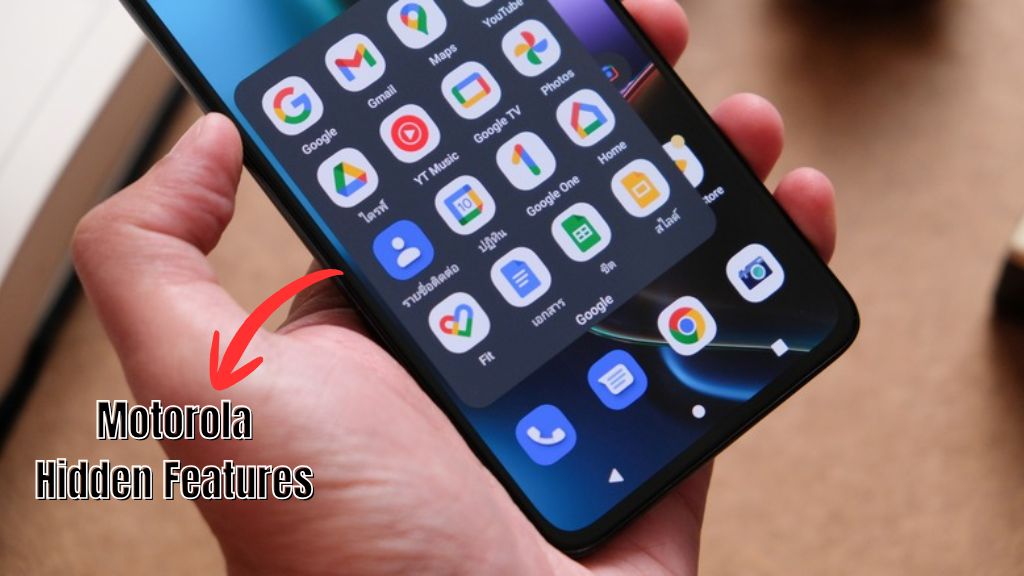
Motorola phones are quite popular among users in India because they offer a solid Android experience, practical software features, and reliable performance. While some users are familiar with the basic functions, many Motorola devices come with hidden features that can further enhance convenience, security, productivity, and the overall user experience. Whether you own a Motorola G, Moto Edge, or any other Motorola smartphone, these devices come with various built-in tools and shortcuts that often go unnoticed by users. By familiarising yourself with these features, you can make the most of them and simplify your daily tasks.
Motorola Hidden Features
One of the best aspects of Motorola phones is the inclusion of the company’s custom software features, known as ‘Moto Experiences.’ These features enhance the Android experience without adding unnecessary complexity or bloatware. While the Android interface on Motorola smartphones closely resembles ‘stock Android,’ the hidden features accessible via the Moto app elevate the device experience, which is why users choose Motorola smartphones.
Quick Capture Camera Gesture
One of the best features of Motorola smartphones is the ‘Quick Capture’ gesture. This comes in handy when you need to take a photo instantly without wasting time navigating through menus.
Instead of unlocking your phone and searching for the camera app, you can simply twist your wrist twice while holding the device. This immediately launches the camera, allowing you to snap a photo quickly.
Benefits
- Opens the camera instantly.
- Helps capture spontaneous moments.
- Convenient for travel photography.
Three-Finger Screenshot
Motorola phones feature a ‘Three-Finger Screenshot’ function. This feature makes taking screenshots very easy. Instead of pressing physical buttons, you simply place three fingers on the screen and hold them there for a moment; the phone automatically captures the screenshot. This feature is particularly convenient when using large-screen smartphones.
Benefits
- Less strain on buttons
- Easy one-handed use
- Quick screenshot capture
Peek Display
‘Peek Display’ is one of the most underrated features of Moto phones. When a notification arrives, the phone displays essential details directly on the lock screen, eliminating the need to unlock the device. You can view previews of messages, alerts, or emails while maintaining your privacy. This feature allows you to check notifications without repeatedly unlocking the phone.
Benefits
- Privacy management
- Improved battery efficiency
- Helps you stay updated with information without unlocking the phone.
- Quick access to notifications
Fast Flashing Gesture
Motorola smartphones feature a handy ‘flashlight gesture.’ When you hold the phone and perform a quick, chopping-like motion (moving your hand up and down) twice, the flashlight turns on automatically. Repeating the same motion turns it off. This feature is helpful during power outages, while travelling, or when searching for items in the dark.
Benefits
- There is no need to unlock the phone.
- The flashlight turns on instantly.
- It is easy to use with one hand.
Moto Tips for Better Productivity
Moto phones come with various productivity-focused tools that help make daily tasks smoother and easier.
Split-Screen Multitasking
Motorola devices feature split-screen functionality, allowing users to use two apps simultaneously. For instance, you can watch YouTube while chatting on WhatsApp or browse the web while taking notes.
Why it’s Useful
- Online learning
- Multitasking
- Social media
- Research and note-taking
Family Space
‘Family Space’ is a special feature designed for parents and families on Motorola devices. It enables the creation of a separate environment featuring customized apps, screen time limits, and content controls. Users can create a safe experience for both parents and children on the smartphone while keeping their personal settings separate.
Why it’s Useful
- App restrictions
- Screen time management
- Creating a safe environment for children
Sidebar Access
Motorola smartphones feature a customizable sidebar that allows for quick access to frequently used apps. Users can add apps like WhatsApp, Chrome, Calculator, Gmail, or Notes to it and launch them instantly from any screen.
Why it’s Useful
- Improved workflow
- Easy access to favorite apps
- Fast multitasking
Moto Smartphone Guide
Motorola devices offer various security and customization features that often go unused by users.
Gaming Mode
Users can take advantage of the ‘Game Time’ feature on Motorola phones. Game Time automatically optimize performance, blocks notifications, and minimizes interruptions during gameplay, providing a smoother and more immersive gaming experience.
Advantages
- Improved concentration
- Better gaming performance
- Fewer interruptions during gaming
Ready For Platform
‘Ready For Platform’ is the most advanced feature of Motorola phones. This feature allows compatible Motorola smartphones to connect to a TV or monitor, providing a desktop-like or large-screen experience. Using this feature, users can watch videos, play games, attend meetings, or perform other tasks on a large screen directly from their smartphones.
Best for them
- Presentations
- Productivity
- Entertainment
- Remote Work
Secure Folder
Motorola devices also provide a secure storage area where users can safely store sensitive files, photos, videos, and other important documents. This feature offers users additional space to maintain the privacy of their information.
Ideal For
- Helps maintain your privacy regarding private photos, files, and documents.
Customizable Themes
Motorola allows smartphone users to personalize their devices by adjusting icon shapes, custom themes, fonts, and color palettes. By using this feature, you can give your mobile phone a unique interface.
Customization Options
- Icon style
- Fonts and colors
- Wallpaper integration
Attentive Display
The ‘Attentive Display’ feature found in Motorola smartphones is excellent; it prevents the screen from turning off while you are actively looking at it. The device uses the front camera to detect whether or not you are paying attention to the screen and automatically keeps it on. This feature is particularly useful when reading recipes, articles, or documents.
Advantages
- Fewer screen interruptions
- Greater convenience
- Provides a better reading experience.
Conclusion
Motorola smartphones offer access to various hidden features such as Fast Flashlight, Peek Display, Gametime, Family Space, Quick Capture, and Three-Finger Screenshot. These devices provide much more than just a clean Android experience, yet many users remain unaware of these features.
Additionally, you can enhance your security and simplify daily tasks by exploring the built-in tools and settings on this Motorola smartphone. Whether you are a student, a professional, a gamer, or a casual user, you can take advantage of the hidden features available on the device. By checking out the Moto app and phone settings, you can quickly discover capabilities that will improve your overall experience during daily use.